
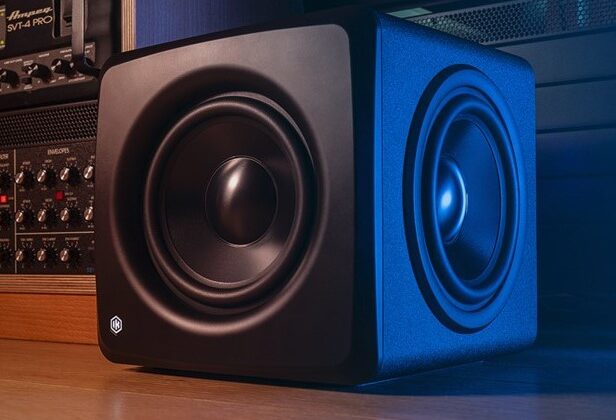
Take an active amplified subwoofer, place it in a compact cabinet with two passive radiators on either side, add a USB D/A converter, a BT receiver, and a DSP with ARC X calibration, and you'll get the new iLoud Sub.
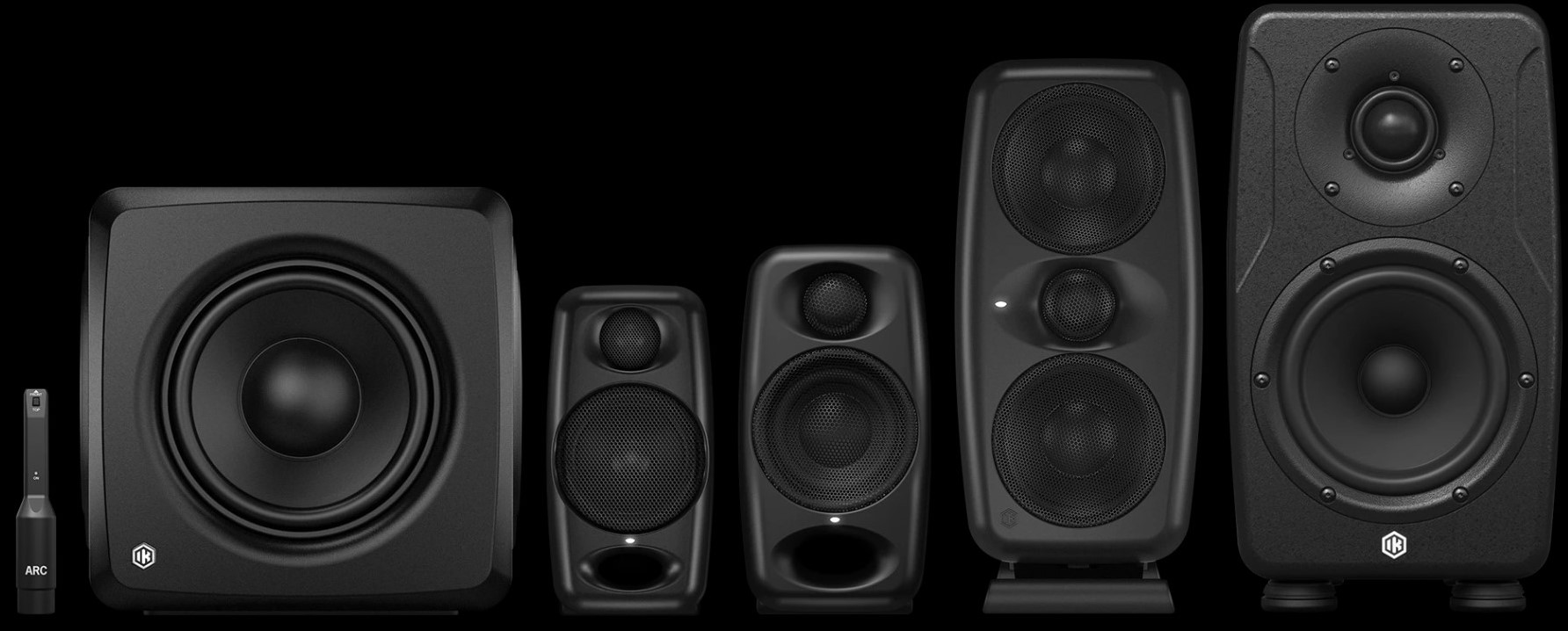
The last element missing from IK Multimedia's iLoud line of powered monitors (check Precision 6 MK II review), was a subwoofer to complete the low frequency response from the smallest Micro Monitors to the more professional MTM MK II and Precision too. In general, the iLoud Sub was created to extend the frequency response of any 3- to 7-inch speakers. Once again, there are plenty of pleasant surprises. We could say that the small Sub has several features similar to much more expensive (and heavier) subwoofers, such as the Neumann KH 750 DSP: both have a pair of analog inputs and outputs to connect a pair of monitors to the sub, which will be calibrated via software, regardless of the monitor models in use. This solution allows you to maintain complete independence in choosing the main monitors to pair with the sub or, extending the frequency response downwards and calibrating the response in general on any system you own.
What makes the iLoud Sub even more appealing is the Bluetooth receiver, which opens the door to connection with smart TVs, smartphones, and tablets. The iLoud Sub is seen as a BT speaker. It is clear that iLoud Sub is ideal for home or propject studios in small spaces, where a classic subwoofer would not fit, but also for the entire entertainment sector, starting with home theater, which could see iLoud Sub as a high-end solution for listening to music and watching film, combined with monitors or speakers.
Calibration management directly on the iLoud Sub's DSP ARC X, complete with a measurement microphone supplied as standard, is a winning feature: once the listening system has been measured and calibrated, the DSP applies acoustic correction, via equalization, both to itself and to the pair of connected monitors, creating a 2.1 system capable of extending the frequency response up to 25 Hz (-10 dB), without the need for software or plug-ins to be active at the time of listening. Everything is stored in the iLoud Sub's DSP, and the system is ready and calibrated as soon as it is turned on.
Each company has its own correction system, and in the case of IK Multimedia, we are talking about ARX C, which offers both measurement and calibration.
Hardware
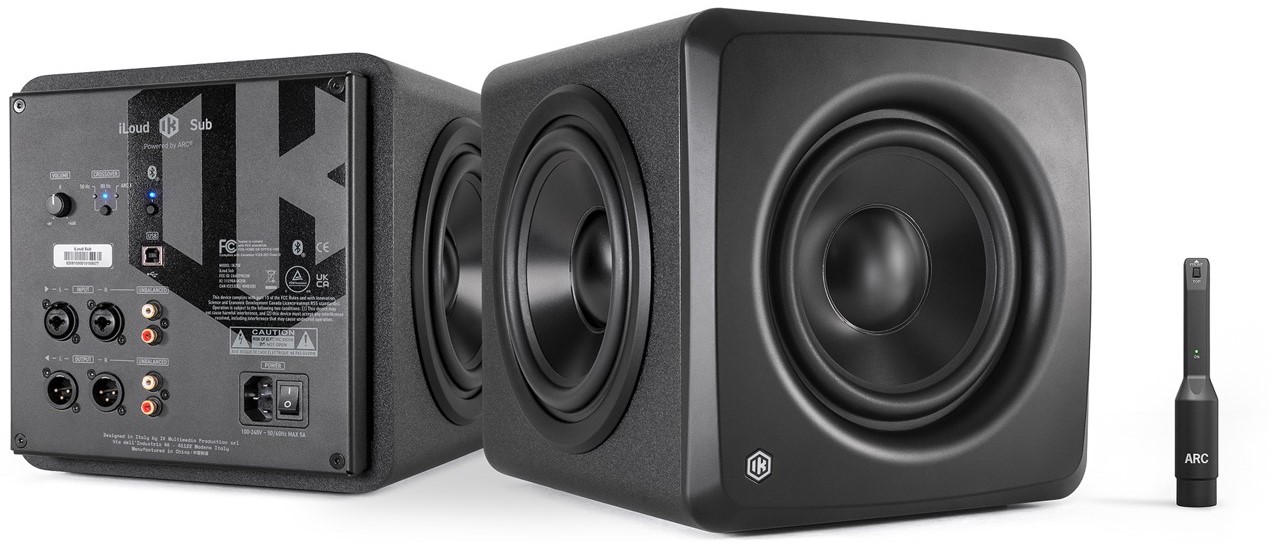
Care must be taken when handling the subwoofer because its small size (28.3 x 25 x 24.4 cm, almost a cube) and three speakers (two 6.5-inch passive radiators on the sides and a 6.5-inch woofer on the front, all made of aluminum) are within easy reach when you pick it up. It is best to hold it by the corners. The iLoud Sub is also the first IK Multimedia product manufactured in China. We have no complaints about the build quality: there are no flaws or uncertainties.
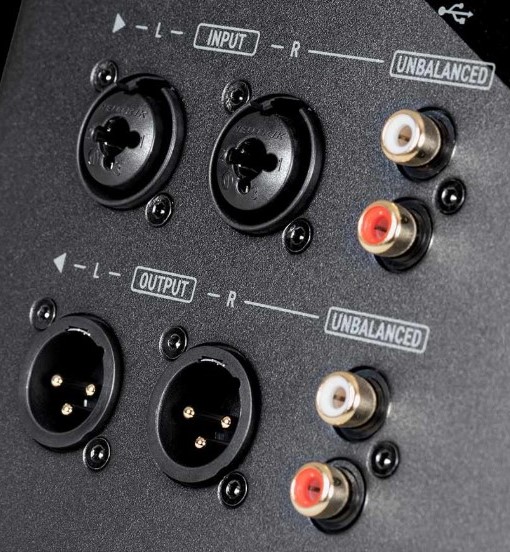
All connections are on the rear panel: two Combo/XLR inputs for connecting the signal from audio interface or mixer, or any other analog source, flanked by two RCA inputs, necessary for using the Sub in home theater contexts, and two XLR outputs for analog connection to audio monitors, with the corresponding RCA outputs. The USB-B connection, which can handle even very long cables, is used to program the DSP (24 bit), identical to other products in the iLoud family, using the same technology of ARC X. The USB port is also a digital audio input port with sample rate from 44.1 kHz to 96 kHz. The converter used is not the same as ARC On Ear. The installer provides an ASIO driver for Windows, while on Apple the USB port is recognized as a Core Audio digital output.
The controls are minimal: Volume (from 0 to +6 dB with a central zero click), a small switch to select the crossover point between 50 and 80 Hz, with a dedicated LED when Sub is controlled by ARC X, and a second button switch to activate the Bluetooth connection. Sub is recognized as an external BT speaker, so you can connect your smartphone or smart TV. The BT connection supports SBC and AAC codecs. The sub's power is suitable for recording studio, with approximately 200 Watts peak and 160 Watts RMS, with a Class D amplifier. At 40 Hz, it reaches a maximum of 106 dB SPL. It weighs 7.1 kg. It comes standard with a USB cable, measurement microphone with clip, and power cable. There is no frequency response graph, but we know for sure that 25 Hz is reached in the frequency response at -10 dB.
ARC X
The software ARC X, that comes as standard with Sub, is the strong point of the entire system, activated with a serial number. Given the audio interface function of iLoud Sub, it can be calibrated by connecting it directly to the computer via USB, although an audio interface with preamp is still required for microphone use. It is not possible to connect the microphone directly to a Sub input, as there is no calibration routine within Sub. Everything must be done via ARC X, which allows you to measure the frequency response of the environment, from a single measurement to as many as 21 points, with a single sweep measurement (Fast) or four as standard. Considering that calibration is critical to the result, be patient and try the 21 points, although the results are already very valid at seven. The measurement process is foolproof, complete with a preliminary check of the level required for measurement. It is possible to use other measurement microphones, for which the response curve can be loaded.
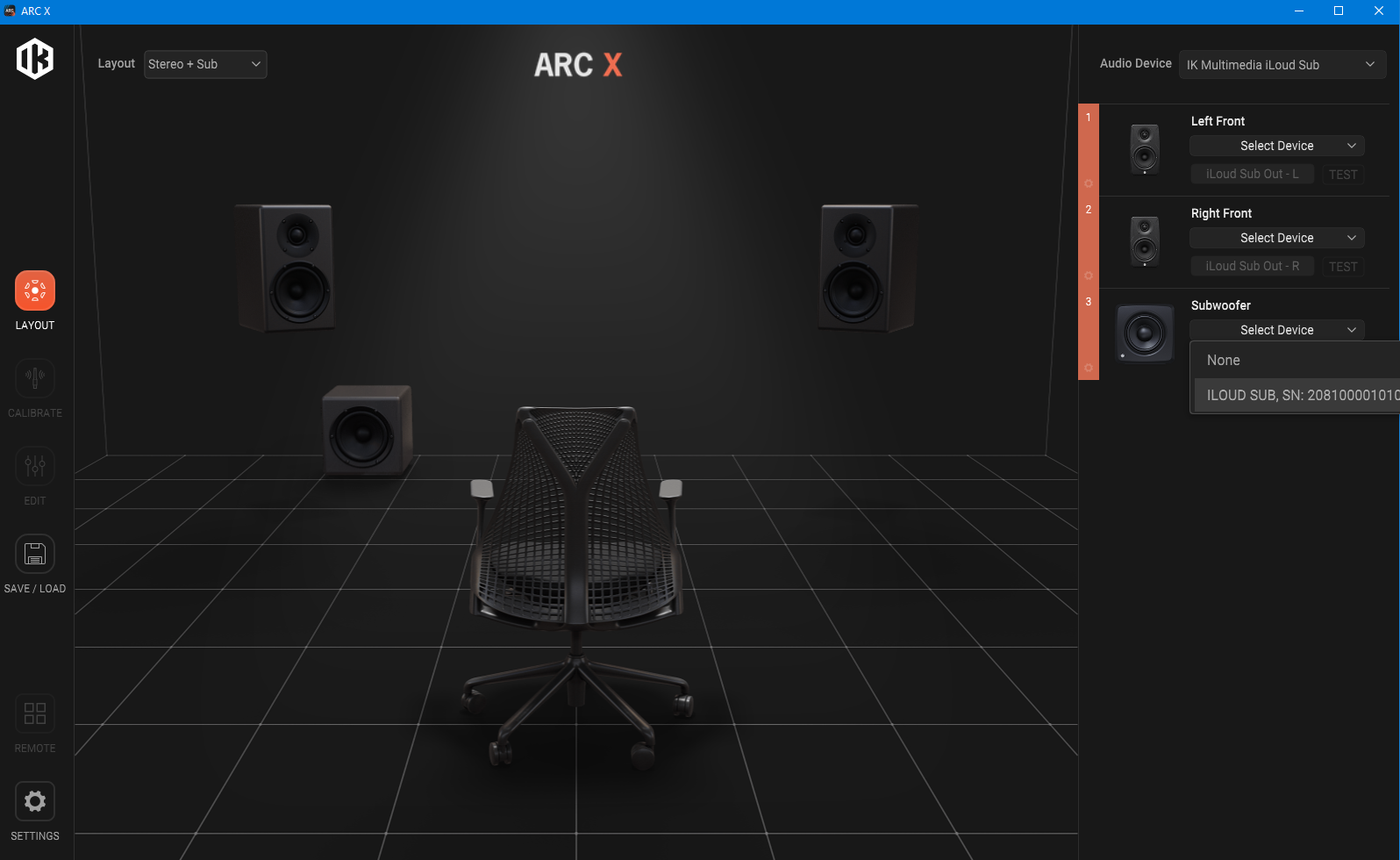
Once the measurement has been performed, you can save the name of the measurement curve and associate it with a monitor image. Each calibration corresponds to a single project, which will be saved in specific analysis folders on computer. ARC X allows you to work on one calibration at a time. It should be noted that ARC X is no longer compatible with measurement files from previous ARC versions, including ARC 4.
The next page allows you to edit the calibration curve, showing the curve calculated after analysis in orange, the measurement curve in blue, the target curve in purple, and the final system response in gray. From the column below, you can select the overall response (System) or that of individual monitors, but editing with the six equalization filters is always general. The only exceptions are the phase inversion, delay, gain, and mute functions, which are independent for each individual monitor. In an immersive system, the TOF parameter becomes essential, indicating the time recorded from the monitor input to its measurement, including DSP latency.
Calibration editing offers a flexible equalizer: the first and last filters can work as Bell or Shelf, while filters 2, 3, 4, and 5 are only bell-shaped, all with Q, gain, and frequency with parameters, displayed automatically as soon as you click on the filter. The crossover point has a range from 50 to 150 Hz, with a choice of second, fourth, and eighth order slopes (we have always preferred fourth order) and does not affect the Sub crossover point if it is set manually on the rear panel. When using Sub with calibration, it is always necessary to leave the crossover selection on the rear panel set to ARC X to avoid alignment problems with the calibrated curve. The rear crossover point is useful in home theater contexts.
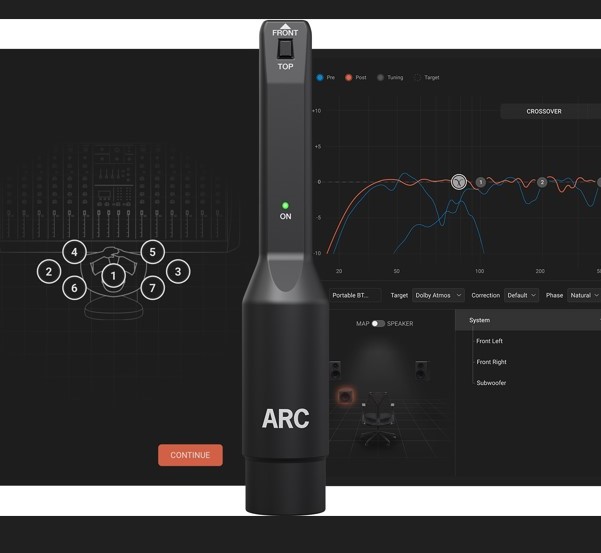
Calibration changes are saved in the session, but there is no way to export the modified curve with a name so that it can be recalled at will. You always have to recall the session. On the plus side, however, iLoud Sub also stores editing changes in the internal DSP, so once everything is set, the calibration curve with the relevant editing is loaded exactly as it was when the device is turned back on.
The connection to ARC X is always necessary if you use the following functions:
- Target Curve: Recall different target curves according to the desired listening mode, such as Standard Control Room, Lively Room 1 and 2, Dolby Atmos, etc.
- Voicing: Check the mix emulating the response of famous studio monitors, hi-fi speakers, TVs, and smartphones (20 models at the time of writing). In the case of Sub, three different listening models are also provided.
- Remote: Emulates the four buttons on the hardware controller, not provided for Sub, tha can be assigned to Bypass, Dim, and Mute functions, as well as, for example, recalling three different modes of Sub behavior or different Voicing modes. However, it is not possible, for example, to exclude only Sub from Remote. To do this, you need to go to Actions on the Edit page. There are no Mono, Mid, and Side controls for checking.
Field test
The dimensions are very compact, yet the small iLoud Sub has a powerful voice: we replaced it with our sub in the control room to see if it could go down to 40 Hz, and it achieved the result without difficulty. You can't expect much air movement from a 6.5-inch woofer compared to much larger subs, but the sound and reproduction are all there, which is the purpose of the sub for small home e project studios.
The second test involved using the Sub with small monitors in a home recording studio, in this case Genelec M030s, and ARC calibration in a less than ideal environment. The measurement process was immediately successful and, as we expected, much of the calibration work involved frequencies below 500 Hz. The difference is immediately noticeable: a sweep towards the lower frequencies is more linear in amplitude, without excessive level alterations as it evolves, but as always, everything depends on the environment. A subwoofer requires space for the lower frequencies and very accurate node management, even with the use of bass traps, to perform at its best. Simply moving the listening point by 50 cm results in a very different low-frequency response. Calibration helps a lot in these cases: the more problems the room has, the more the reproduction tends to improve. Intervention on the mid and high frequencies can result in a different stereo image, not necessarily worse. In our case, the high-frequency response was almost untouched, so the stereo image was accurate.
Our curiosity about using it in a simple home theater system was satisfied very quickly: using a Sony HT-5000 soundbar, we physically connected the Sub with a cable to the soundbar's dedicated output, only to discover that the Sub has much more power than we expected. To balance the levels, we had to reduce the Sub's volume (to about one-third of the maximum). Compared to the soundbar alone, the results are exciting, and given its small size, the Sub can be easily hidden from view, although its aesthetics are very pleasing. The flexibility of the Sub is also noticeable as a BT speaker connected to two small amplified monitors. We calibrated the entire system with a laptop (it's a shame there isn't a simplified version of ARC X as an app for Android or iOS), saved the curve, and left the system in the hands of Spotify and our smartphone. Compared to what you usually hear on smart TVs or BT speakers, Sub's converter can sound better and is a great addition to your home theater. Thanks to its low weight, it's a sub that you can pick up and move around to different listening systems.
Back in the studio, we wanted to test the Sub converter: quality is good for the price, with differences that can be heard in the higher frequencies, which are more rigid, and with a more compact stereo image compared to a high-quality studio converter (in this case, a Prism Audio). The sound has a focus on vocals and mid-high frequencies, but the quality is such that it can be used profitably in home recording, multimedia, and post-production environments. The optimal situation is to use 48 kHz SR, which is the same frequency used by the DSP, avoiding a series of digital steps to align the DSP sampling frequency with the input frequency. Sub has a stated latency of 1.42 ms. For those who do sound design or produce in front of a computer on a desk, the combination of Sub and monitors is a big step forward, again thanks to calibration. The converter, in this case, is superior to any desktop computer.
During testing, we did not hear any interference from the USB connection, which is sometimes a source of extraneous digital noise. No humming or other parasitic noise.
Conclusions
After several days of testing in very different environments (home recording, home theater, desktop computer, mixing room, home recording), we have a clear opinion of the Sub: it is so flexible in terms of connections and calibration that it is the smartest solution for those looking for a sub to improve their listening experience, offering excellent calibration, IK Multimedia iLoud Sub can be used in very different contexts, thanks to its size and weight: During the day in the studio, at night under the TV soundbar...
Beyond this aspect, which may allow Sub to enter new markets, from a mixing and listening point of view, a Sub makes a difference in the management of bass, kick drum, and any sound below 80 Hz in a mix, provided you are aware of the strong interaction between the environment and the subwoofer, which can be improved with calibration and a few acoustic treatmensts. The entire iLoud Sub, ARC X, and microphone bundle is unrivalled in terms of price and quality.
IK Multimedia iLoud Sub is the key for calibrating and extending the frequency response of any stereo monitor system, old or new, with an eye toward entry-level, yet good quality, immersive installations and home theaters.
Pros
Digital audio input via USB
BT connection for reception
Balanced and RCA connections
ARC X with microphone as standard
Construction
Powerful
Cons
No sub bypass function on remote
No Mid Side or Mono functions on remote
Only one calibration curve per session
Info: IK Multimedia
IK Multimedia iLoud MTM MKII: little monitors, great results - review
Ik Multimedia Arc Studio and ARC 4, The freedom of DRC - Field Test
IK Multimedia T-RackS 6, faster mastering and mixing - English review